lindowin
Headless Linux Docker for Windows.
Terminal only. No GUI. One command.
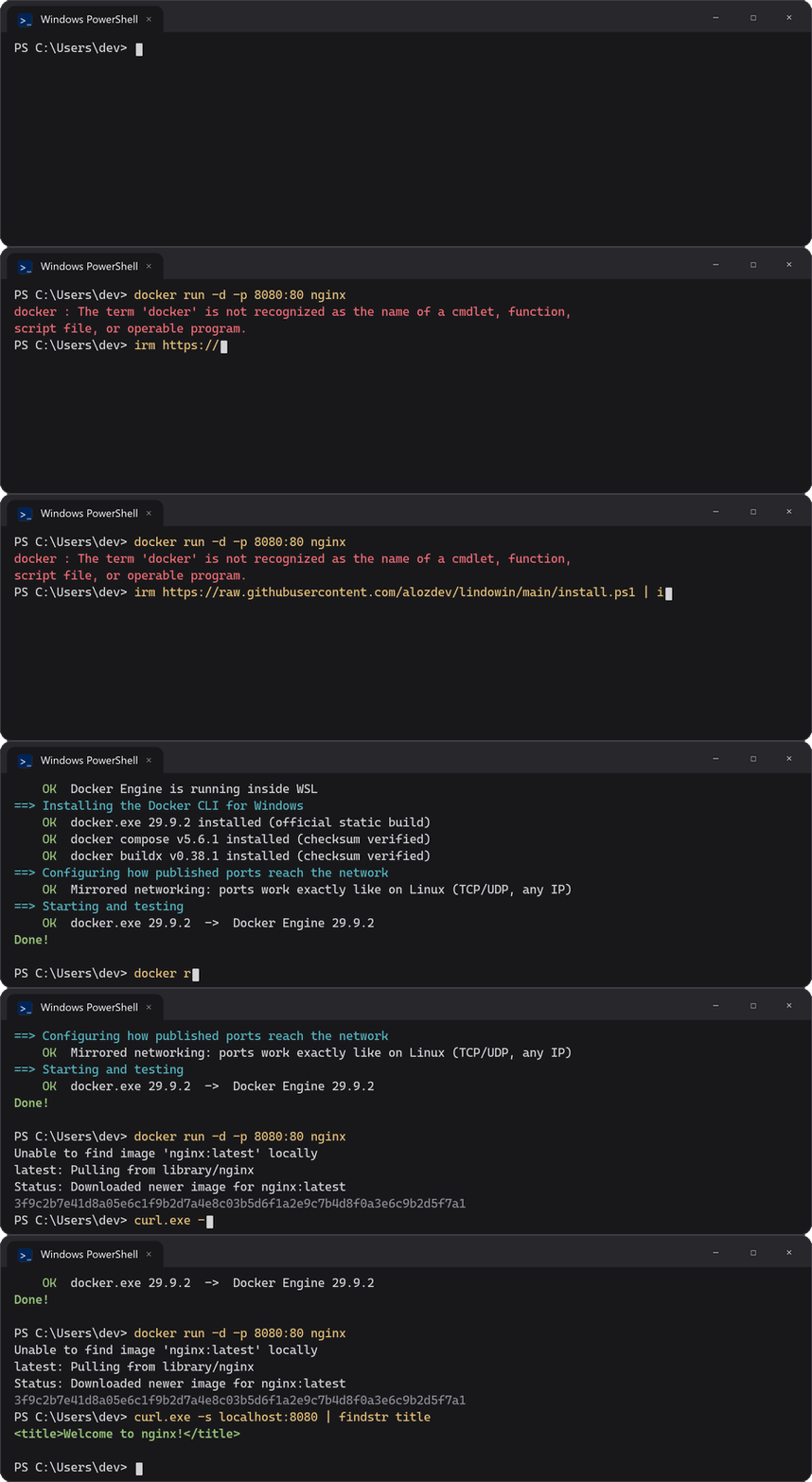
PS> irm https://alozdev.github.io/lindowin/install | iex
Paste it in PowerShell. No admin needed to start. Prefer a ZIP? Download it and double-click install.cmd.
Why lindowin
The real Docker Engine, the official docker CLI, and nothing you have to click.
Real Linux containers
nginx, postgres, redis... any image from Docker Hub. Even on Windows Server.
Free for companies
Docker Desktop needs a paid plan above 250 employees or $10M revenue. This is all open source.
No GUI
No tray app, no background UI. Under 1 GB of RAM when idle. Fits on Server Core.
Ports like on Linux
80:80 reaches your network, 127.0.0.1:80:80 stays on your PC. TCP and UDP.
Works with your tools
Same \\.\pipe\docker_engine as Docker Desktop: compose, buildx, VS Code, Testcontainers.
Starts by itself
At sign-in on a PC. At boot on a server, with nobody signed in.
How it compares
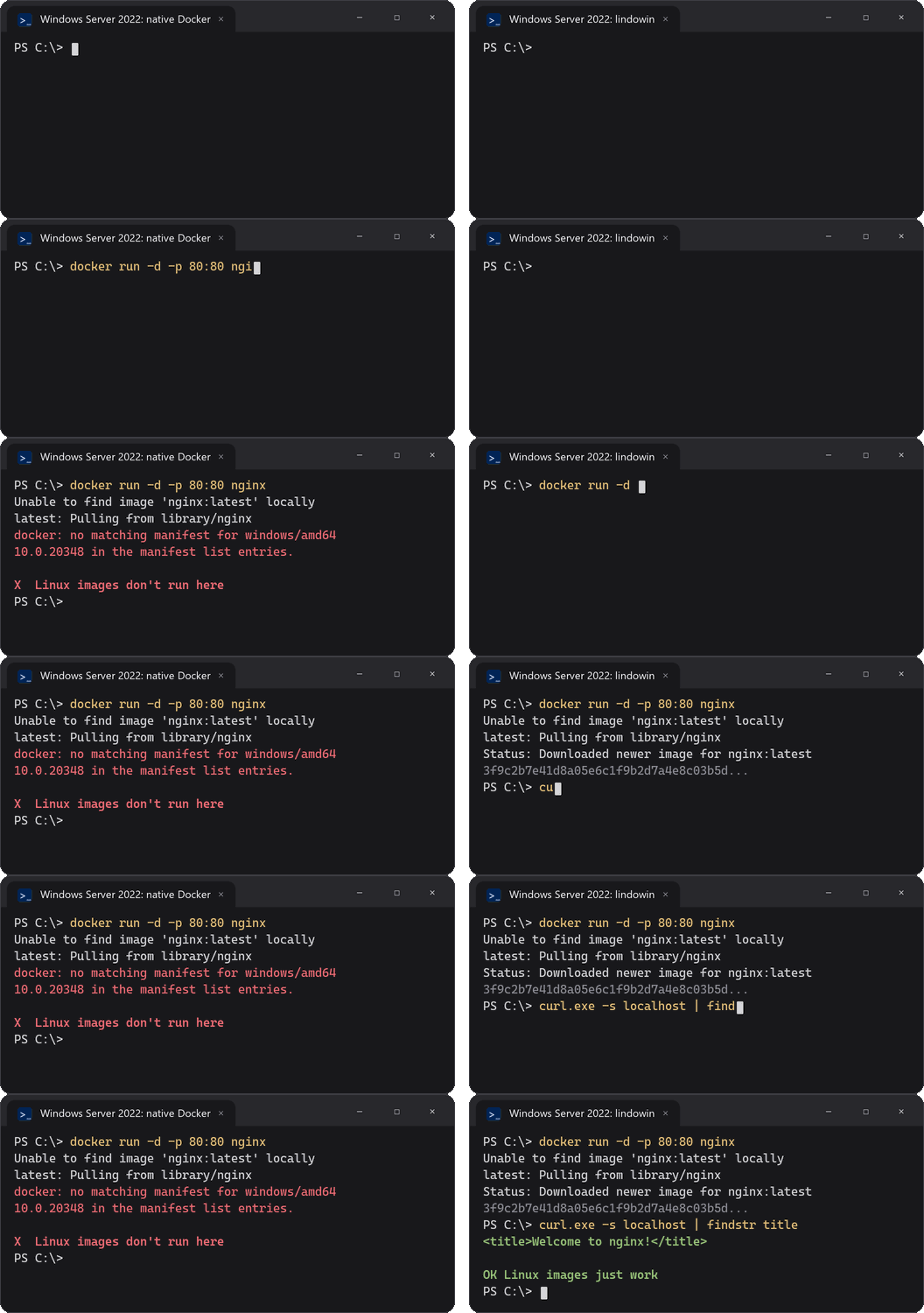
On Windows Server, the native Docker only runs Windows images. lindowin runs the Linux ones.
| lindowin | Docker Desktop | Native Docker on Windows Server | |
|---|---|---|---|
Linux images (nginx, postgres...) | Yes | Yes | No, Windows images only |
| Free for companies | Yes | Paid above 250 people / $10M | Yes |
| Windows Server / Server Core | Yes | Not supported | Yes |
| No GUI, starts without signing in | Yes | No | Yes |
Official docker CLI, compose, buildx | Yes | Yes | Yes |
How it works
The same idea as Docker Desktop, without the app.
Docker Engine in WSL 2
A small Ubuntu distro runs the open-source Docker Engine, started by systemd and kept up to date.
Official CLI on Windows
docker.exe, compose and buildx from their official sources, checksums verified.
A tiny relay
Connects them through Docker Desktop's pipe. Compiled on your PC; no prebuilt binaries, no TCP port.
Requirements: Windows 10 2004+ / Windows 11 (Home works) or Windows Server 2022 / 2025, x64, virtualization enabled. Full docs · Español